
How to Force a DPF Regen on Cummins ISX: INSITE Step-by-Step
How We Tested and Verified
Verified through hands-on procedure on Cummins ISX15 CM2350, Detroit DD15 EPA17, and OEM service manuals. Safety steps confirmed with shop SOP and EPA stationary regen guidelines.
This content is for informational purposes only. Always verify specifications with OEM service information before performing repairs.
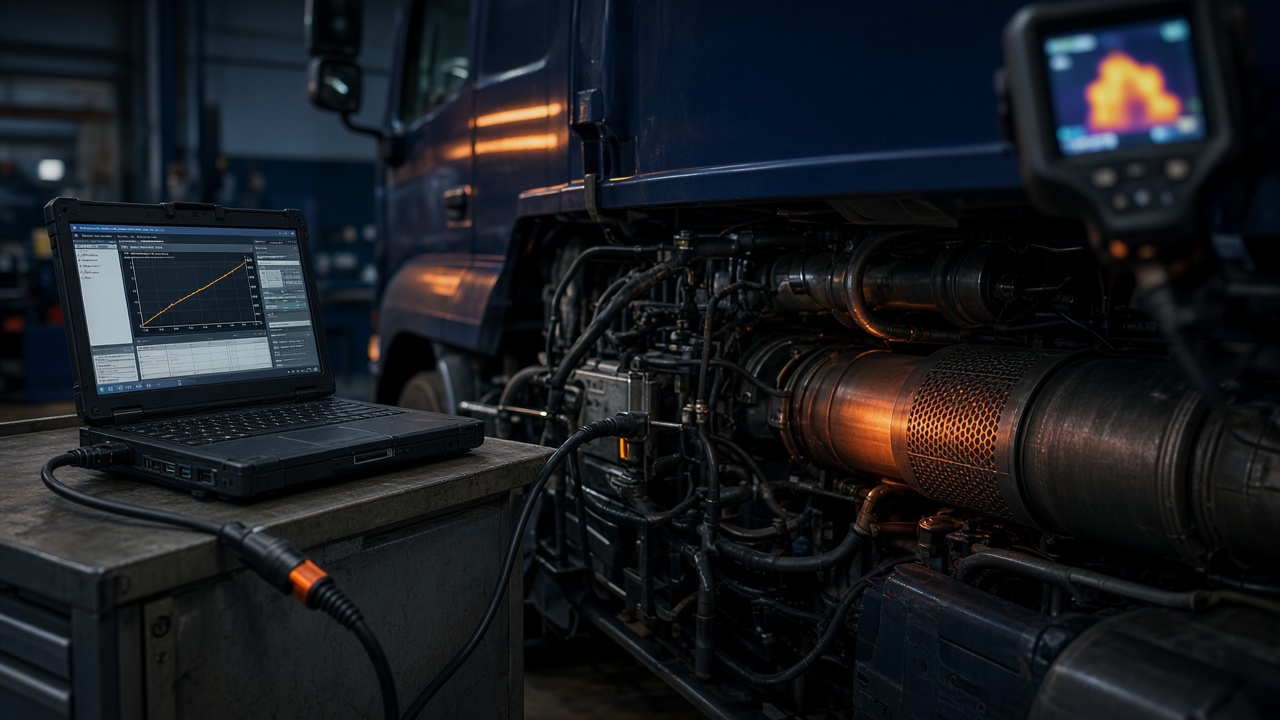
Force a Cummins ISX DPF regen in INSITE: coolant above 140°F, fuel above 25%, parking brake set, vehicle stationary outdoors, no regen inhibit switch active. Navigate Aftertreatment > DPF Regeneration > Start. Duration: 20–45 minutes; exhaust outlet exceeds 1,000°F. Monitor soot load dropping from 80%+ to below 40%. Abort code 596 means exhaust temp too low — idle at 1,500 RPM 5 minutes and retry. Never regen inside a shop or within 15 feet of combustible materials.
Follow OEM service manual torque specs and one-time-use fastener requirements. High-pressure common-rail fuel and hot aftertreatment systems pose serious injury risk — use proper PPE and depressurization procedures before loosening any fuel or exhaust component.
Preconditions INSITE Checks Before Regen
Coolant temperature above 140°F (60°C) — idle 10 minutes if cold. Fuel level above 25% — regen enrichment burns 1–4 gallons.
Parking brake set, transmission neutral, no regen inhibit switch active (some fleets install dash switch — verify OFF).
Vehicle stationary — regen while moving is passive/active on-road, not parked routine.
No active critical faults blocking regen (check inhibit list in INSITE Aftertreatment menu).
INSITE Menu Navigation
Connect adapter, key on, engine off initially. INSITE > Connect > Read Faults.
Navigate: Service > Aftertreatment Diesel Particulate Filter > Stationary Regeneration.
Or: Advanced ECM Data > Aftertreatment > DPF Regeneration — calibration-dependent menu path.
Review soot load % — above 80% regen recommended. Log ash load — above 80% ash, regen may not help; clean DPF instead.
Starting and Monitoring Parked Regen
Click Start Regeneration. Engine RPM rises to 1,200–1,500, fans engage, exhaust temp climbs.
Monitor PIDs: DPF Inlet Temp (target 1,100°F+), Soot Load (should decrease), Regen Status.
Duration: 20–45 minutes typical. Do not interrupt — abort adds soot penalty.
Keep 15 feet clearance from combustibles at tailpipe.
Common Abort Reasons and Fixes
Abort 596 — exhaust temp too low: extend idle warm-up, block fan temporarily only if bulletin allows (generally fix ambient or move outdoors).
Abort 597 — operator inhibited: dash switch or INSITE inhibit cleared.
Abort 598 — regen timeout: soot too high for single cycle — may need two cycles or DPF clean.
Pedal pressed or brake released on some calibrations — driver must leave cab.
Active vs Passive Regen on Road
Passive: highway driving exhaust temp cleans soot without fuel dosing — encourage 30+ minute highway run.
Active on-road: ECM injects post-fuel when soot threshold met — driver sees HEST lamp, maintain load above 40% when safe.
Forced parked: when passive/active insufficient or truck stuck in urban duty.
When Forced Regen Will Not Fix the Problem
Ash load above 120% — regen burns soot only. Schedule DPF cleaning.
Failed pressure sensors — false soot reading. Replace 4954906/4954907 pair.
Cracked DPF substrate — pressure drops then immediately rebounds.
Use DPF calculator for next steps.
Post-Regen Verification
Soot load below 40%, differential pressure dropped 30%+ at idle.
Clear inactive codes if root resolved. Road test 10 miles — no immediate regen request.
Document regen in fleet log — track frequency per SPN 520372.
Safety and Legal Requirements
EPA and local fire codes: outdoor only unless certified regen bay with exhaust extraction.
Never regen with damaged exhaust pointing at dry grass — wildfire liability.
PPE: heat-resistant gloves if working near exhaust during test — pipe glows dull red.
Alternative Tools and Field Options
JPRO and Jaltest can initiate Cummins regen with proper license — verify subscription includes aftertreatment.
No smartphone app replaces INSITE for reset and ash service.
Mobile diesel tech with INSITE: $150–$250 field regen call.
INSITE Version and Adapter Compatibility Notes
INSITE 2026 requires Windows 10/11 64-bit and .NET current. INLINE 6 legacy — upgrade to INLINE 7 or Nexiq for CM2450 security.
If regen menu grayed out, check INSITE license level — Lite may lack bi-directional on some calibrations.
USB hub causes disconnect mid-regen — connect adapter direct to laptop USB port.
INSITE Regen Menu Navigation
Connect INSITE > Engine Selection > Aftertreatment > DPF Regeneration. Select ‘Stationary Regeneration’ for parked regen. Pre-conditions display on screen — resolve each before Start enables. Monitor Parameters 4114 (soot load) and 4110 (differential pressure) during cycle.
Regen Abort Codes and Recovery
Abort 596: exhaust temperature too low — idle at 1,500 RPM 5 minutes, retry. Abort 597: regen inhibited by switch — check dash regen disable switch and fleet telematics inhibit. Abort 598: vehicle not stationary — parking brake must be set. Abort 599: fuel level below 25% — add fuel.
Post-Regen Verification Drive
After successful regen: soot load below 40%, differential pressure dropped. Highway drive 20 minutes above 55 mph to complete any pending monitors. Re-scan for active codes. If soot climbs above 60% within 200 miles, investigate root cause (idle time, EGR fault, sensor error).
OEM Bulletin Cross-Reference
Search QSOL or Detroit portal by engine serial before ordering parts. Mid-year supersession changes strand wrong components on the shelf. Save bulletin PDF to work order for warranty audit.
Check for related campaigns — some fleets qualify for prorated coverage under 200,000 miles with documented API DEF use and authorized dealer service history.
Platform-Specific Diagnostic Differences
Cummins INSITE provides percentage-based soot load and explicit regen controls. Detroit DiagnosticLink uses gram-based soot mass. Paccar MX mirrors Cummins on shared aftertreatment. Always use OEM software — generic OBD reads codes but cannot reset inducement or force regen.
Pressure and Temperature Reference Values
Monitor at operating temperature (coolant above 160°F). Idle differential pressure under 10 in H2O on healthy DPF. Cruise (65 mph flat) 4–8 in H2O normal, above 15 in H2O suggests restriction. SCR inlet temperature above 400°F required for efficiency monitor.
Warranty and Documentation Requirements
Attach scan tool PDF showing before/after fault status, relevant PIDs, and inducement reset confirmation. List installed parts with manufacturer part numbers. Driver sign-off on repair explanation reduces repeat roadside calls.
Escalation Criteria
Escalate to OEM technical hotline after two failed repair attempts with complete data log. Cummins Care and Detroit Customer Support provide case numbers for warranty escalation. Independent shops without platform expertise should refer ECM flash and security gateway procedures to dealer.
Scan Tool Parameter Reference
Key PIDs to log during diagnosis: soot load, ash load, differential pressure, exhaust temperature at DPF inlet and outlet, DEF level and quality, NOx upstream and downstream, SCR inlet temperature, and inducement status. Save freeze frame data before clearing codes — warranty auditors request parameter snapshots.
Data log format: CSV export from INSITE or DiagnosticLink with timestamp, engine speed, load, and aftertreatment parameters at 1-second intervals during road test. Minimum 30-minute highway log for SCR monitor completion analysis.
Common Comeback Prevention
Second-tech verification before return to service: all clamps torqued, heat shields installed, wiring routed from exhaust, fluid levels checked, no active or pending codes, inducement not active. Photo documentation of repair area reduces dispute on 300-mile comebacks.
Customer communication: explain root cause, what was replaced, and operational changes required (DEF quality, regen completion, idle reduction). Written acknowledgment on work order closes the loop.
Fleet Telematics Integration
Configure telematics alerts for target SPNs at first occurrence — not after derate. Monthly SPN frequency report in fleet meeting shared between operations and maintenance. Units exceeding fleet average fault rate 2x get targeted inspection before next route.
Cummins INSITE Diagnostic Shortcuts
Fault Code Status screen sorts by inducement level — always address highest severity first. Aftertreatment menu groups DPF, SCR, and DEF parameters in one view. Use ‘Snapshot’ function before clearing codes to save freeze frame. Parameter search by number (4114 for soot load) faster than browsing menus.
INSITE data monitor records up to 8 parameters simultaneously during road test. Standard aftertreatment monitor set: 4114 soot, 4110 diff pressure, 3216 NOx upstream, 3217 NOx downstream, 1761 DEF level, 4334 DEF quality, 4364 SCR efficiency, 1569 inducement status.
Detroit DiagnosticLink Diagnostic Shortcuts
Aftertreatment Health Report generates PDF summary for fleet records. Static regen requires same safety preconditions as Cummins — outdoor, stationary, coolant temp met. DD15 soot displayed in grams not percentage — 70g triggers regen request, 120g critical.
DiagnosticLink ‘Recommended Actions’ panel suggests repair steps based on active fault combination. Useful for junior techs but verify against OEM service procedure — recommendations do not account for recent repairs or modified components.
Wiring Harness Inspection Points
Common chafe locations: frame rail at suspension pivot, exhaust manifold bracket, transmission crossmember, and behind cab air bag mount. Inspect harness every 100,000 miles or at any aftertreatment fault with good component test. Repair with heat-rated wire (TXL 16 gauge), adhesive heat shrink, and Deutsch connector.
Connector inspection: look for green corrosion, pushed-back pins, broken latch tabs, and moisture in boot. Clean with electrical contact cleaner, apply dielectric grease on seal side only. Replace terminal if corrosion is green — cleaning is temporary fix.
Parts Ordering and Supersession
Always order by engine serial number through QSOL or Detroit portal — mid-year supersession changes part numbers without notice. Verify core return requirements before ordering turbos, injectors, and ECMs. Core charges $500–$2,000, return window 30 days.
Counterfeit aftertreatment components circulate on marketplace sites — NOx sensors and DEF dosers fail within 30 days. Buy from authorized distributor when inducement and warranty exposure exists. Keep invoice with part number for CARB audit.
Verification Drive Protocol After Repair
Idle 3 minutes for sensor heat-up. Highway drive minimum 30 minutes above 55 mph on flat road. Monitor scan tool for parameter changes during drive. Re-scan at destination: zero active faults, inducement not active, relevant monitors completed or pending with customer advised to continue highway driving. Save scan tool PDF to work order.
If monitor pending after 30-minute drive, continue 20 more minutes or schedule return visit. Some SCR and DPF monitors require specific speed/load conditions not achievable on all routes.
Freeze Frame Data Interpretation
Freeze frame captures ECM parameters at moment fault set. Key values: engine speed, load, coolant temperature, fuel pressure, and aftertreatment parameters. Compare freeze frame to current readings — if conditions differ significantly, fault may be intermittent. Save freeze frame before clearing codes — clearing destroys data needed for warranty claim and root cause analysis.
Multiple freeze frames on same SPN indicate recurring condition — not one-time event. Pattern analysis: does fault set at idle, cruise, or acceleration? Temperature-dependent faults suggest harness or sensor issues. Load-dependent faults suggest mechanical or aftertreatment restriction.
Frequently Asked Questions
Can I force regen without INSITE?
Some generic tools trigger regen on older EPA10; 2013+ ISX requires INSITE or equivalent OEM access for reliable parked regen and ash reset.
How much fuel does a parked regen use?
1–4 gallons depending on soot level and engine size.
Will regen damage the engine?
Normal regen is OEM-designed. Excessive daily regen causes fuel dilution in oil — fix root cause.
Can I regen with check engine light on?
Depends on active fault. Some faults inhibit regen — read inhibit status first.
What if regen completes but soot stays high?
Ash plugged, sensor fault, or model not reset after filter service. Do not keep regenning — diagnose.
Related tools: Use our dpf cleaning vs replacement for quick estimates and planning.
Related reading: spn 3251 fmi 0 dpf soot load high, spn 1569 fmi 31 engine protection derate, clean dpf filter off vehicle vs on vehicle.
Regen inhibit switch on vocational chassis must be OFF — PTO engaged blocks regen and stacks SPN 3251 within one shift.
INSITE regen status PID should drop soot load below 40% within 45 minutes — if soot remains above 60% after completed regen, inspect differential pressure sensors before scheduling DPF removal.
Sources
- Cummins INSITE regen procedures
- EPA stationary regen safety guidelines
- Cummins aftertreatment operator manual
Related Reading
- spn 3251 fmi 0 dpf soot load high
- spn 1569 fmi 31 engine protection derate
- clean dpf filter off vehicle vs on vehicle.
Verification Checklist Before Closing the Job
Photograph failed parts, log all meter and scan-tool readings on the work order, and retain freeze-frame data. Fleet and warranty audits reject claims without documented root-cause proof. Compare your readings to OEM service information for the specific engine serial number — mid-year calibration updates change test limits without changing the fault code definition.